Why Obsidian fits 2026 workflows
The shift toward decentralized personal knowledge management isn't just a trend; it's a structural change in how we handle information. As cloud-based SaaS platforms face increasing scrutiny over data sovereignty and long-term accessibility, Obsidian (OBSDN) offers a distinct alternative: local-first data ownership. Your notes live on your device, not in a proprietary database controlled by a third party. This ensures that your intellectual property remains yours, regardless of platform updates or service discontinuations.
This local-first approach aligns with the growing demand for resilience in digital workflows. By storing notes as plain Markdown files, Obsidian decouples content from the application. You are not locked into a specific vendor's ecosystem. This future-proofs your knowledge base, allowing you to access your data with any text editor or tool, ensuring longevity that proprietary cloud solutions often struggle to guarantee.
For those building a robust OBSDN guide in 2026, this emphasis on ownership is paramount. It transforms your note-taking from a passive consumption activity into an active, secure investment in your own cognitive infrastructure. The tool sharpens your thinking by keeping your data close, fast, and entirely under your control.
Start with a Home MOC
The biggest hurdle for new Obsidian users isn't learning the software; it's staring at an empty vault and not knowing where to begin. Without a central hub, your notes scatter into isolated folders, turning your knowledge base into a digital attic rather than a living system. The Map of Content (MOC) solves this by acting as the single entry point for your entire vault.
Think of your Home MOC as the lobby of a building. It doesn't contain all the furniture (your detailed notes), but it has the directory that tells you exactly which door leads to which room. When you open Obsidian, you land here. You see the major categories of your life or work, and you can drill down only when you have a specific purpose. This structure prevents the "blank page" paralysis because you are never starting from zero; you are starting from a map.
Building this hub is simpler than it sounds. You don't need complex templates or plugins to begin. Just create a new note titled "Home" or "Dashboard." Inside, list the broad topics you care about—perhaps "Investing," "Health," "Projects," or "Learning." Link these topics to future notes. As your vault grows, these links become the pathways that connect your ideas, turning a static collection of files into a navigable network.

Set up Daily Notes and folders
The hardest part of Obsidian isn't learning the syntax; it's stopping yourself from over-organizing before you've written a single thought. The tool rewards action, not architecture. Start by enabling the core Daily Notes plugin and creating a bare-minimum folder structure. This combination gives you a place to dump ephemeral thoughts and a stable foundation to let your knowledge system grow organically.
Enable Daily Notes
Daily Notes are the heartbeat of your OBSDN guide. They provide a frictionless entry point for capturing ideas, meeting notes, or fleeting insights without forcing you to decide where they belong yet. Enable the plugin in your settings and configure a simple date format like YYYY-MM-DD. This consistency is what allows Obsidian's graph view to eventually map your thinking over time.
Think of daily notes as a digital inbox. You aren't filing documents here; you're capturing raw material. As your vault grows, you can link these daily entries to specific projects or topics later. The goal is to keep the barrier to entry as low as possible so that context switching doesn't kill your momentum.
Create a Minimal Folder Structure
While daily notes handle the temporal flow, folders provide the structural stability. Resist the urge to create complex hierarchies. As one community guide suggests, "keep the organization as minimal as you can" to avoid the trap of spending more time managing folders than writing notes.
A simple three-folder structure is usually sufficient for most users:
- Inbox: For unsorted daily notes and quick captures.
- Projects: For active work or specific goals.
- Archive: For completed projects or older reference material.
This setup prevents the "folder paralysis" that stops many new users. You can always add more folders later as patterns emerge in your work. The beauty of Obsidian is that its power comes from links, not folders, so your structure can remain lightweight and flexible.
Connect notes with backlinks
A list of files is just storage. A web of notes is a thinking tool. When you link notes in Obsidian, you stop treating information as isolated items and start treating it as a system. The backlink is the mechanism that turns a static repository into a dynamic graph.
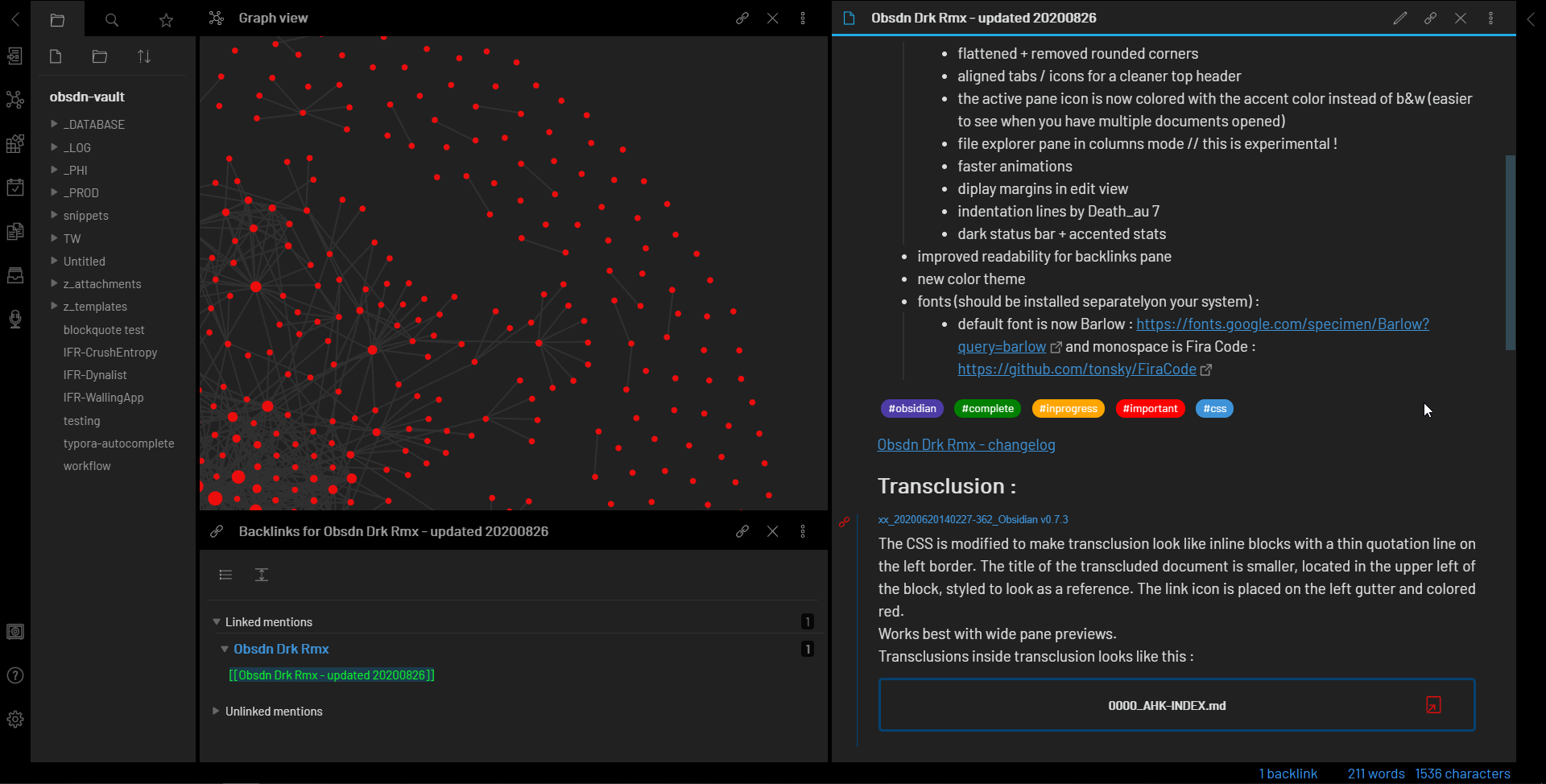
In Obsidian, a backlink shows every note that references your current note. This feature reveals the hidden connections between ideas that you might have forgotten or never explicitly planned. It allows you to trace how a concept evolved across different contexts, creating a "second brain" that actually thinks with you.
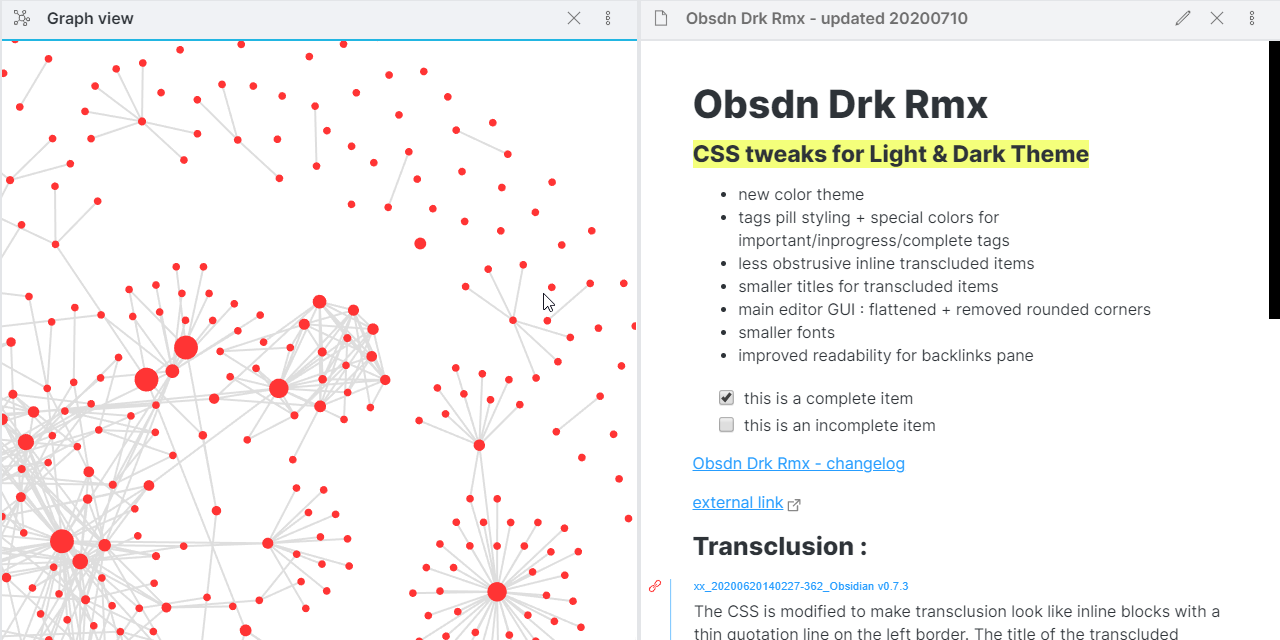
The Graph View visualizes these connections. You can see clusters of related topics emerge organically. This visual feedback helps you identify gaps in your knowledge or areas where your understanding is deep and well-connected. It transforms the abstract process of learning into something tangible and navigable.
This approach shifts the focus from organizing files to connecting ideas. You build knowledge by linking, not by filing. The value comes from the relationships between notes, creating a personalized knowledge base that grows more useful with every new connection you make.
Essential plugins for power users
Obsidian starts as a simple text editor, but its plugin ecosystem turns it into a full knowledge management system. For beginners, the default vault is usually enough. For power users, a curated selection of community plugins removes friction and connects your notes.
Avoid installing everything you see. Each plugin adds complexity. Focus on tools that solve specific workflow bottlenecks. Here are the three plugins that offer the highest return on investment for most users.
Dataview
Dataview turns your vault into a database. It lets you query notes based on their metadata, tags, or content. Instead of manually linking every related note, you can create dynamic lists that update automatically. If you tag a note with #project/active, Dataview can instantly list all active projects on your dashboard. It is the backbone of a scalable system.
Templater
Templater is the advanced version of Obsidian’s built-in templating system. It supports JavaScript, allowing you to create dynamic templates that pull in the current date, random quotes, or content from other notes. This is essential for daily notes or standardized meeting templates where manual entry becomes tedious. It automates the boring parts of note-taking so you can focus on thinking.
Excalidraw
Visual thinking is hard in plain text. Excalidraw integrates a hand-drawn style whiteboard directly into Obsidian. You can sketch diagrams, mind maps, or flowcharts and link them to your text notes. It bridges the gap between structured text and freeform ideation. If your knowledge system relies on visual connections, this plugin is non-negotiable.
Week One Checklist for Your OBSDN Guide
Your first week is about building momentum, not perfection. The goal is to get Obsidian running smoothly on your primary device and establish a simple habit of capturing thoughts. Don't worry about complex graphs or intricate linking structures yet. Focus on the basics: install the app, create your first vault, and start writing. If you can sustain this habit for seven days, you've already succeeded where most people quit.
Download Obsidian from the official site and install it on the device you use most often. If you have multiple devices, set up Obsidian Sync or a reliable third-party sync method immediately. Your knowledge system is only useful if it's accessible. Test the sync by creating a note on one device and confirming it appears on the other before you start filling the vault.

Open Obsidian and create a new vault. Name it something simple, like "Main" or "Personal." Choose a local folder on your computer where you can easily back up the files later. This folder is your database. Inside, create a folder named "Inbox" for raw, unprocessed thoughts. This keeps your main workspace clean while you get used to the interface.
Go to Settings > Community Plugins and turn off Safe Mode. Search for and install the "Templater" and "QuickAdd" plugins. Templater allows you to create dynamic templates for new notes, while QuickAdd helps you capture information quickly without breaking your flow. These two tools form the backbone of a functional OBSDN guide setup, making daily writing feel effortless rather than tedious.
Create three simple notes in your Inbox folder. They don't need to be long. A summary of a book chapter, a meeting takeaway, or a random idea is enough. Practice using the double-bracket syntax [[like this]] to link them together. This simple act of linking is where the magic of Obsidian begins, turning isolated facts into a connected web of knowledge.
At the end of the week, spend ten minutes reviewing your notes. Did the plugins help? Was the sync reliable? Did you find yourself struggling to find anything? Make one small adjustment based on what you learned. Maybe you need a different template or a new folder structure. This iterative approach ensures your OBSDN guide evolves with your actual needs, not just theoretical best practices.
No comments yet. Be the first to share your thoughts!