Why Obsidian fits RWA research
Tokenizing real-world assets involves mapping complex relationships between legal entities, smart contracts, and regulatory frameworks. Cloud-based SaaS tools often struggle with this depth, forcing you into rigid structures that don't reflect the messy reality of financial infrastructure. Obsidian’s local, linked-graph architecture offers a different approach, treating your research as a network rather than a folder.
This distinction matters when you are tracking the intersection of traditional finance and blockchain. You need to see how a specific bond issuance links to a custodian, which then connects to a regulatory filing. In Obsidian, these connections are explicit. You can trace the lineage of an asset class without jumping between disconnected documents or losing context in a siloed database.
The data residency of Obsidian is another practical advantage for high-stakes research. Your notes on sensitive financial topics, compliance checks, and investment theses remain on your machine. This local-first model ensures you retain ownership of your intellectual property, a non-negotiable factor when dealing with proprietary market analysis.
While the architecture is powerful, understanding the market context of the assets you are tokenizing is equally important. The volatility and liquidity of the underlying crypto infrastructure can impact the stability of RWA tokens. Tracking these market dynamics in real-time helps ground your qualitative research in quantitative reality.
For a deeper look at the technical performance of the underlying assets, a visual chart provides immediate context on price action and volume trends. This helps in assessing the risk profile of the tokenization project you are studying.
Build a Home MOC for Navigation
Think of your Obsidian vault as a sprawling city. Without a central map, you will wander aimlessly through folders of notes about RWA compliance, Layer-2 scaling solutions, and token standards. A Home Map of Content (MOC) acts as your dashboard, organizing the chaos into a navigable structure.
Start by creating a new note titled Home MOC. This note does not need to contain dense text; its primary job is to link to your other core areas of research. Use Obsidian's internal linking syntax [[ to connect to specific folders or notes. For example, link to [[RWA Legal Frameworks]], [[Layer-2 Protocols]], and [[Token Standards]]. This creates a web of context rather than a rigid hierarchy.
To keep this dashboard functional, enable Daily Notes. This feature automatically creates a new note each day, allowing you to log thoughts or market observations without cluttering your main structure. Link to these daily notes from your Home MOC to track your research journey over time. The goal is organic growth; let the connections emerge as you learn.
Compare RWA Research Approaches
Choosing how to structure your RWA data can feel overwhelming. A comparison table helps clarify the trade-offs between different organizational methods.
| Method | Pros | Cons |
|---|---|---|
| Flat Folder Structure | Simple to set up; easy to find files by name | Links become hard to manage; no visual hierarchy |
| Hierarchical Folders | Logical grouping; mirrors traditional file systems | Rigid; difficult to see cross-topic connections |
| MOC-Based Navigation | Flexible; emphasizes connections; scalable | Requires initial setup time; learning curve |
Monitor RWA Market Trends
Understanding the market context is essential for RWA tokenization research. Use Obsidian to embed live market data directly into your notes, keeping your analysis grounded in real-time metrics.
For deeper technical analysis of underlying assets or related tokens, embed a chart that updates automatically.
Structure folders for tokenization assets
Your vault needs a clear separation between the physical assets you are tokenizing and the blockchain mechanics that track them. Think of your folder structure as the foundation of a building; if the load-bearing walls are mixed with the decorative trim, the whole thing becomes unstable. For an OBSDN guide focused on real-world assets, you should keep your data distinct from your process.
Create a root folder named RWA-Assets. Inside, use subfolders for each asset class. This keeps your vault tidy and makes it easy to apply specific tags or templates later. For example, you might have RWA-Assets/Real-Estate and RWA-Assets/Commodities. Each subfolder should contain the specific details for that asset, such as legal docs, valuation reports, and ownership records.
Do not clutter this space with blockchain technicalities. Instead, create a separate root folder called Blockchain-Infrastructure. This is where you store smart contract code, transaction logs, and wallet configurations. By keeping these two worlds separate, you reduce the risk of accidentally editing a contract while reviewing an asset valuation. It also makes it easier to audit your holdings later.
Here is a simple hierarchy to get you started:
Vault/RWA-Assets/Real-Estate/Property-AVault/RWA-Assets/Commodities/Gold-ReservesVault/Blockchain-Infrastructure/Smart-ContractsVault/Blockchain-Infrastructure/Wallet-Keys
This structure scales well. As you add more assets, you simply create new subfolders within RWA-Assets. The blockchain side remains static unless you are deploying new contracts. This separation is a core principle in any serious OBSDN guide for tokenization.
Link notes to track protocol relationships
Mapping the dependencies between RWA issuers, custodians, and Layer-2 networks requires more than just storing data; it requires visualizing the connections. In an OBSDN guide, bi-directional linking serves as the backbone for this complexity. Instead of relying on rigid folders, you create a web of notes where every entity—whether it is a legal issuer or a smart contract—points to its partners.
Start by creating a note for your primary RWA issuer. Inside that note, use [[ to link to the specific custodian holding the assets and the Layer-2 network processing the tokens. When you open the custodian’s note, you will immediately see the incoming link from the issuer. This creates a transparent audit trail without manual cross-referencing. You can then link the Layer-2 note back to the issuer, completing the triangle of dependency.
To understand the market context of these links, visualizing the underlying token performance is helpful. The chart below shows the price action for Optimism (OP), a common Layer-2 used in RWA tokenization, allowing you to correlate network activity with market sentiment.
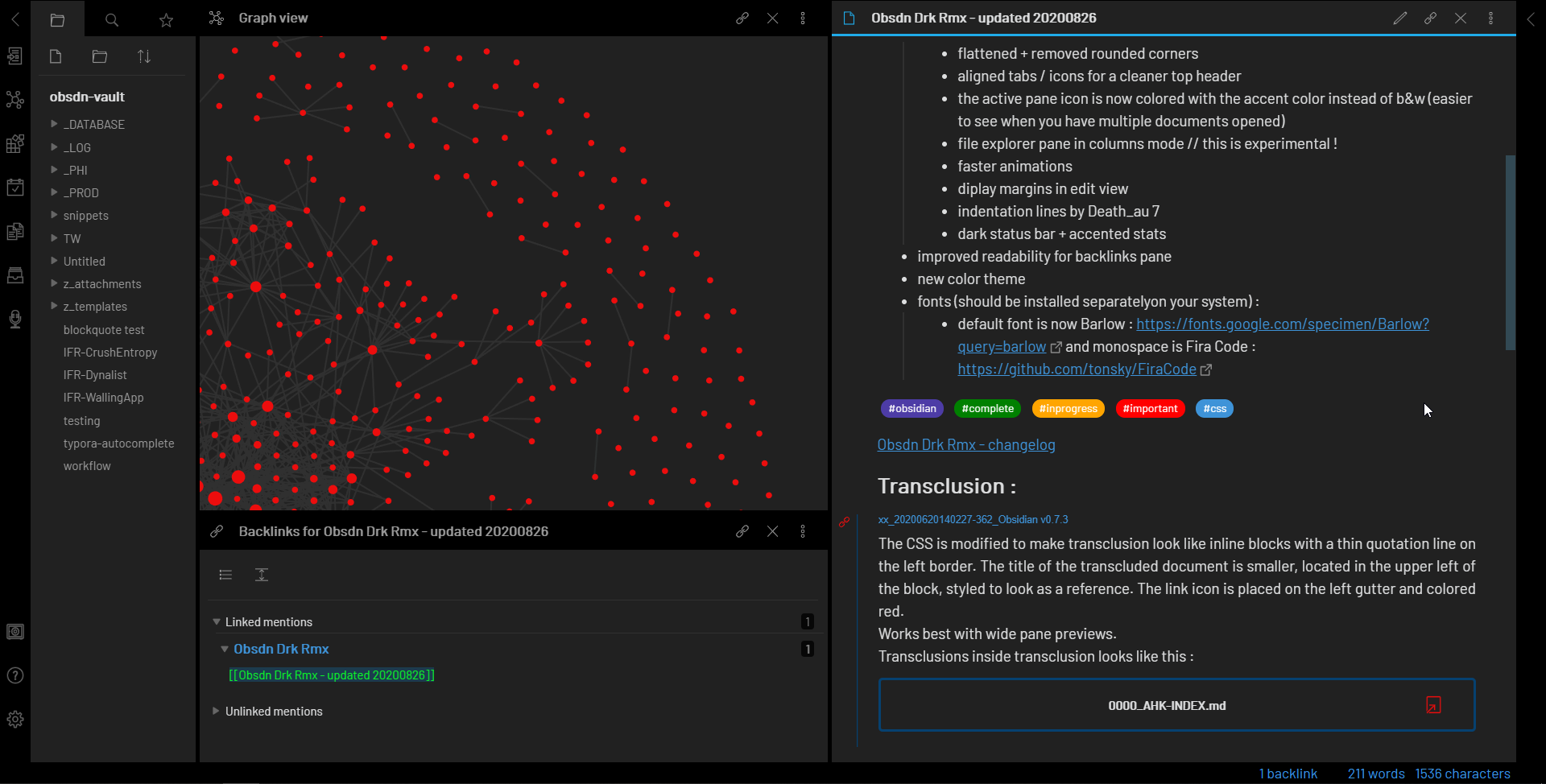
This approach transforms static notes into a dynamic graph. As you add new protocols, the graph view reveals clusters of related assets. You can quickly spot if a single custodian is linked to multiple high-risk issuers, or if a specific Layer-2 is becoming a bottleneck for your portfolio. The Obsidian Graph View makes these hidden risks visible at a glance, turning your vault into a functional risk management tool rather than just a storage bin.
For a quick snapshot of the current market value of the underlying asset class, you can check the live price of the relevant token.
Use Daily Notes for market updates
Treat your Obsidian vault like a live trading journal. Instead of scattering notes across random folders, use the Daily Notes plugin to create a chronological log of market movements, regulatory shifts, and technical observations. This approach mirrors how professional traders maintain a daybook, ensuring every data point is timestamped and easy to retrieve later.
Start by configuring your Daily Notes settings to include a template. This template should contain consistent headings for price action, news, and chart analysis. Consistency reduces friction, making it easier to log data quickly during volatile market hours. When you open Obsidian each morning, the new note is ready for input, turning a potentially chaotic process into a structured routine.
Log price action with live widgets
Embed live price data directly into your daily entry to provide immediate context. Using the PriceWidget for relevant RWA tokens or Layer-2 assets allows you to see current valuations without leaving your editor. This visual anchor helps you correlate price movements with your written observations in real-time.
Analyze charts inline
Technical analysis becomes more powerful when paired with daily commentary. Embed a TechnicalChart widget to display live charts for specific assets. This lets you annotate support and resistance levels directly in your notes, creating a permanent record of your technical thesis. You can revisit these charts later to assess the accuracy of your predictions.
Record regulatory and news updates
Beyond charts, your daily notes should capture external catalysts. When a new regulation drops or a major partnership is announced, log it immediately. Link to official sources or primary expert opinions to ensure your notes remain credible. This habit builds a searchable database of market drivers, helping you identify patterns over time.
Finalize your OBSDN setup checklist
Before you begin serious financial research, ensure your Obsidian vault is configured for clarity and speed. A clean interface reduces cognitive load, letting you focus on market signals rather than navigation. The OBSDN guide emphasizes a minimalist workspace that supports deep analysis without distraction.
Core Verification Steps
- Install the OBSDN theme: Apply the theme to establish a consistent visual hierarchy for financial data.
- Enable community plugins: Activate essential tools like Dataview for querying market datasets.
- Configure daily notes: Set up daily notes to log market observations and daily price movements.
- Test graph view: Ensure your backlinks render correctly to visualize connections between assets and research.
A clean setup is like a clear window; it lets you see the market without distortion. Use the OBSDN guide to verify each component works before importing complex financial models.
Monitor Market Context
While your vault is ready, keep an eye on broader market trends. Use the following tools to track real-time performance alongside your notes.
No comments yet. Be the first to share your thoughts!